
UR Financials Newsletter Vol. 35 01.12.2026
In this issue:
- Workday Expenses (University only, excluding affiliates)
- 2026 Mileage Rate
- Advanced Airfare
- Enterprise Car Rental Reminder
- Expenses User Group Meeting – Wednesday, February 11th, 2026 1:00pm-2:00pm
- Helpful links
- Accounts Payable (University only, excluding affiliates)
- Graphite Connect is live as of Monday January 12th
- Upcoming Training Sessions
- January 13, 2026: 1–2 p.m.
- January 15, 2026: 11–12 p.m.
- Support-Office Hours
- Resources
- Upcoming Training Sessions
- Graphite Connect is live as of Monday January 12th
Workday Expenses
- 2026 Mileage rate
Beginning January 1, 2026, the standard mileage rate will be 72.5 cents per mile driven for business use, up 2.5 cents from 2025. The rate applies to fully electric and hybrid automobiles, as well as gasoline and diesel-powered vehicles.The 2026 Mileage Log Form is located on the Reimbursement website in the Forms section. - Advanced Airfare- charged to the University’s credit card when the contracted travel agents are used
Air and Rail expenses charged to the BTA/CTC must be in accordance with the University Travel Policy and must meet one of the following criteria:-
- The Traveler is an Employee (Faculty or Staff): Reservations can be made at any time by submitting a Spend Authorization in Workday. Spend Authorization guideOnce the Workday Spend Authorization is approved, call, or email the travel agent, and provide:
- Your approved Workday Spend Authorization number (SPA#, ex: SPA00001234)
- Your Employee ID number (6 digits)
- and your URID number (8 digits)
The travel agent will email you an itinerary that lists the amount charged to the University’s credit card. Save this document, it is the required backup to clear your airfare advance.
- Online Booking Tools: Both agents host online booking tools, providing independent searching within their tool on your own. Employees must register (one-time setup) with Concur or ETTA/Deem and complete their profile information before a reservation can be made.Online Booking Tool registration guide – how to register and complete your profile
Online Booking Tool reference guide – how to make reservations
The credit card charges will load to your Workday account within days of the reservation being booked in My Expense Transactions. Per the IRS, this is considered an advance to the employee traveler and must be accounted for (reconciled) within 60 days of returning from the trip to avoid being included in the employee’s taxable wages. See Central Travel Card transactions guide for information on steps to accomplish reconciliation.
- The traveler is a Student (includes Grad Students): Reservations can be made at any time by submitting an approved F2 Airfare Request Form to the travel agent.
- Call or email the Travel Agent to make the reservation
- Email the approved F2 Airfare Request Form to the Travel Agent.
- The traveler is a Non-Employee (visitor, prospect, recruit, or other business guest): A University employee must make reservations. Reservations can be made at any time by submitting an approved F2 Airfare Request Form to the travel agent.
- Call or email the Travel Agent to make the reservation
- Email the approved F2 Airfare Request Form to the Travel Agent.
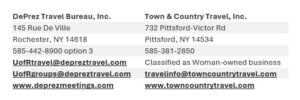
- The Traveler is an Employee (Faculty or Staff): Reservations can be made at any time by submitting a Spend Authorization in Workday. Spend Authorization guideOnce the Workday Spend Authorization is approved, call, or email the travel agent, and provide:
-
- Enterprise car rental reminder (Procurement topic)
A quick reminder about a great resource available to you – our NortheastAccountSupport@em.com team. This team is here to help make your day-to-day rental needs & questions easier, faster, and more efficient.Some examples of what they can assist with:- Existing reservation support
- Billing and invoicing questions
- Claims and damage inquiries
- Rate verification and receipt requests
- Long-term or extended rentals
- Global and truck rental support
- Special requests for Emerald Club members
Hours: Monday–Friday, 8:00 a.m.–5:00 p.m. ET
Phone: 833‑364‑0198
Email: NortheastAccountSupport@em.comFor the quickest assistance, it’s always helpful to include the account number, renter name, and reservation or rental agreement number when reaching out.
- One-Page flyer with all of the details for easy reference – feel free to share it
- Expenses user group meetings (held monthly)
Workday Expenses User group meetings are another opportunity intended to provide support for Expenses functionality to departments including information sharing, best practices, and tip/tricks. These meetings are more about discussing what is/is not working well to identify enhancement opportunities. Upcoming meetings: Link to join meetingMicrosoft Teams- Join the meetingMeeting ID: 252 737 574 202 91
Passcode: pc9C2M2P
- This month’s meeting will be held on Wednesday, February 11th, 2026 1:00-2:00pm
- Presentation slides and recordings for prior meetings are located here: https://www.rochester.edu/adminfinance/urfinancials/training/expense-management-training/expense-management-training-schedule/expense-management-workshops/expense-management-user-meetings/
- Join the meetingMeeting ID: 252 737 574 202 91
- Helpful Links
- Email Workday Expense inquiries to: Business_Expense_Reimbursement@finance.rochester.edu
- Workday Login: https://www.rochester.edu/adminfinance/urfinancials/workday-login/
- Link to Workday Expenses reference guides: https://www.rochester.edu/adminfinance/urfinancials/training/expense-management-training/expense-management-reference-materials/
Accounts Payable
- Graphite Connect is live as of Monday January 12th
- Graphite Connect provides a single, streamlined process for requesting and onboarding suppliers across the University of Rochester and its affiliates.
- See Supplier Add Requests and Changes via Graphite Connect for more information.
- Graphite Connect simplifies and improves the supplier request experience by:
- Providing one solution to request and onboard suppliers. There will be no need to determine whether it’s a PO or non-PO supplier.
- Eliminating the need to choose between different request methods (Supplier Add Request Form vs. Create Supplier Request).
- Offering real-time visibility into the status of a request, including where it is in the approval process and whether the supplier has submitted their registration.
- Simplifying the process for suppliers by allowing those already in the Graphite network to submit only the UR-specific information required.
Upcoming Training Sessions:
- January 13, 2026: 1–2 p.m.
- January 15, 2026: 11–12 p.m.
Zoom Meeting Link: https://urmc.zoom.us/j/96377534412?pwd=ZwsbpGNVAV05Al963NPmbWMFDll3hm.1&from=addon
Graphite Support – Office Hours: Daily Office Hour sessions will be held January 12 – 23, 2026 from 2-3p.m.
Meeting ID: 288 438 679 225 80 Passcode: av78na6w
Graphite Resources - New Supplier Request Guide
- Supplier Request Status Guide
- Graphite NSJ Template (Questions for New Supplier Justification Request)
- Graphite Supplier Approval Guide